Simple, Secure Canvas LTI Setup with LectureLogger: A Guide for Canvas Administrators
Let’s face it: higher-ed IT teams are stretched thin. The last thing Canvas administrators need is another complex integration that requires SIS mappings, server access, or days of back-and-forth testing.
LectureLogger was built differently.
Our Canvas integration uses LTI 1.3, the current industry standard for secure and FERPA friendly integrations. Setup takes most Canvas admins 10 minutes or less, and once it’s installed, instructors don’t need constant IT involvement.
Whether you’re supporting a small program or a full campus deployment, LectureLogger is designed to be the lightest integration you’ll implement all year.
Fast LTI Setup (Usually ~10 Minutes)
LectureLogger plugs into Canvas using a turnkey LTI 1.3 connection.

LectureLogger’s Canvas Integration Guide helps university Canvas administrators complete a fast, secure LTI 1.3 setup.
We provide Canvas admins with everything they need to integrate LectureLogger with their Canvas instance, including:
A prewritten step by step admin setup guide
Copy and paste ready LTI credentials
Clear, minimal LTI scopes (we only request what’s needed for attendance)
Our completed HECVAT assessment for review
Full installation support from the LectureLogger team
Optional test environment verification
No SIS or database integration required
Once the LTI is enabled, faculty can add LectureLogger to their courses instantly with no ticket submission, manual provisioning, or recurring admin work needed.
What the Integration Enables
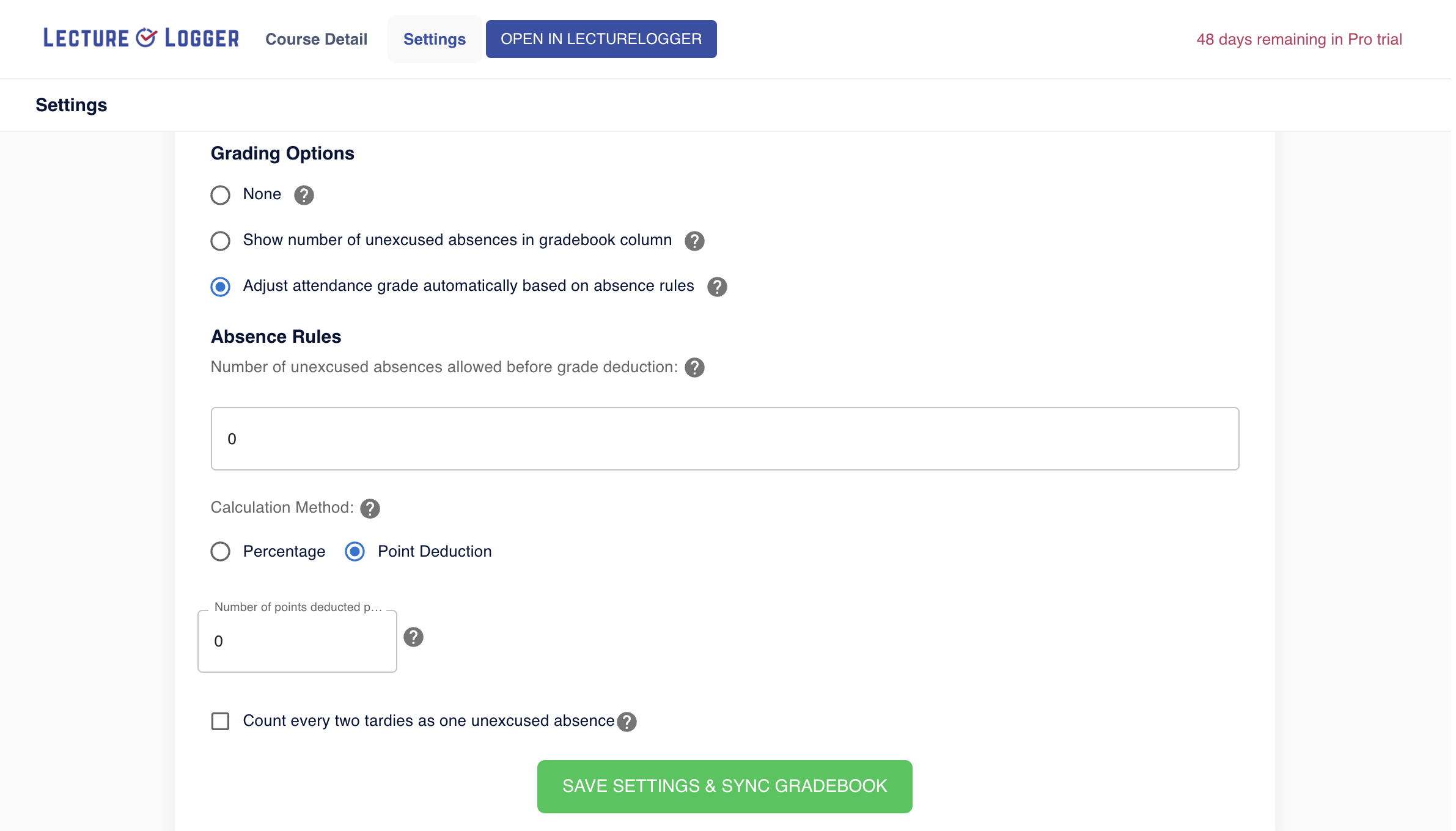
LectureLogger’s Canvas LTI integration gives instructors powerful in Canvas settings, including automated roster syncing, gradebook updates, and attendance rule configuration.
After setup, instructors gain access to:
One click LectureLogger launch directly inside Canvas
Automatic course roster syncing
Secure attendance check-ins within the Canvas workflow
Gradebook syncing functionality (if enabled)
Real time reporting for advisors and academic support teams
Admins don’t have to maintain anything after installation. Updates are pushed automatically, and the tool remains fully decoupled from your SIS and core infrastructure.
Why Canvas Admins Love LectureLogger
✔ One-time installation — set it and forget it
✔ Secure, LTI 1.3 compliant integration
✔ Support for single sign on (SSO)
✔ No database, server, or backend access needed
✔ No SIS connection required
✔ Clear documentation written specifically for admins
✔ Direct support from our team for installation and testing
✔ Minimal scopes + FERPA aligned data handling
✔ Lightweight footprint and no ongoing admin maintenance
Because LectureLogger avoids heavy SIS dependencies and unnecessary permissions, Canvas admins tell us it’s one of the easiest and safest integrations on their list.
Designed for Reliability, Security & Compliance
LectureLogger was built for institutions that prioritize student privacy and data governance:
Designed with FERPA in mind
No collection of unnecessary student data
Encrypted transmission for all LTI communication
Data stored only as needed for attendance functionality
Works seamlessly in production and test environments
Admins stay in control, and LectureLogger stays in its lane — attendance only, nothing more.
Ready to Install LectureLogger on Canvas?
If your institution is exploring better attendance tools, our team can walk you through setup or help you deploy in your Canvas test environment.
LectureLogger makes attendance easier for instructors — and integration easier for Canvas admins.